03Case study
A QR code from any page, in one click.
- Product
- QR RapidQR code platform
- Year
- Part of QR Rapid
- Disciplines
- Browser software, Product engineering, Interface design
- Our role
- Product design and engineering
01Challenge
Codes are made in the middle of something else.
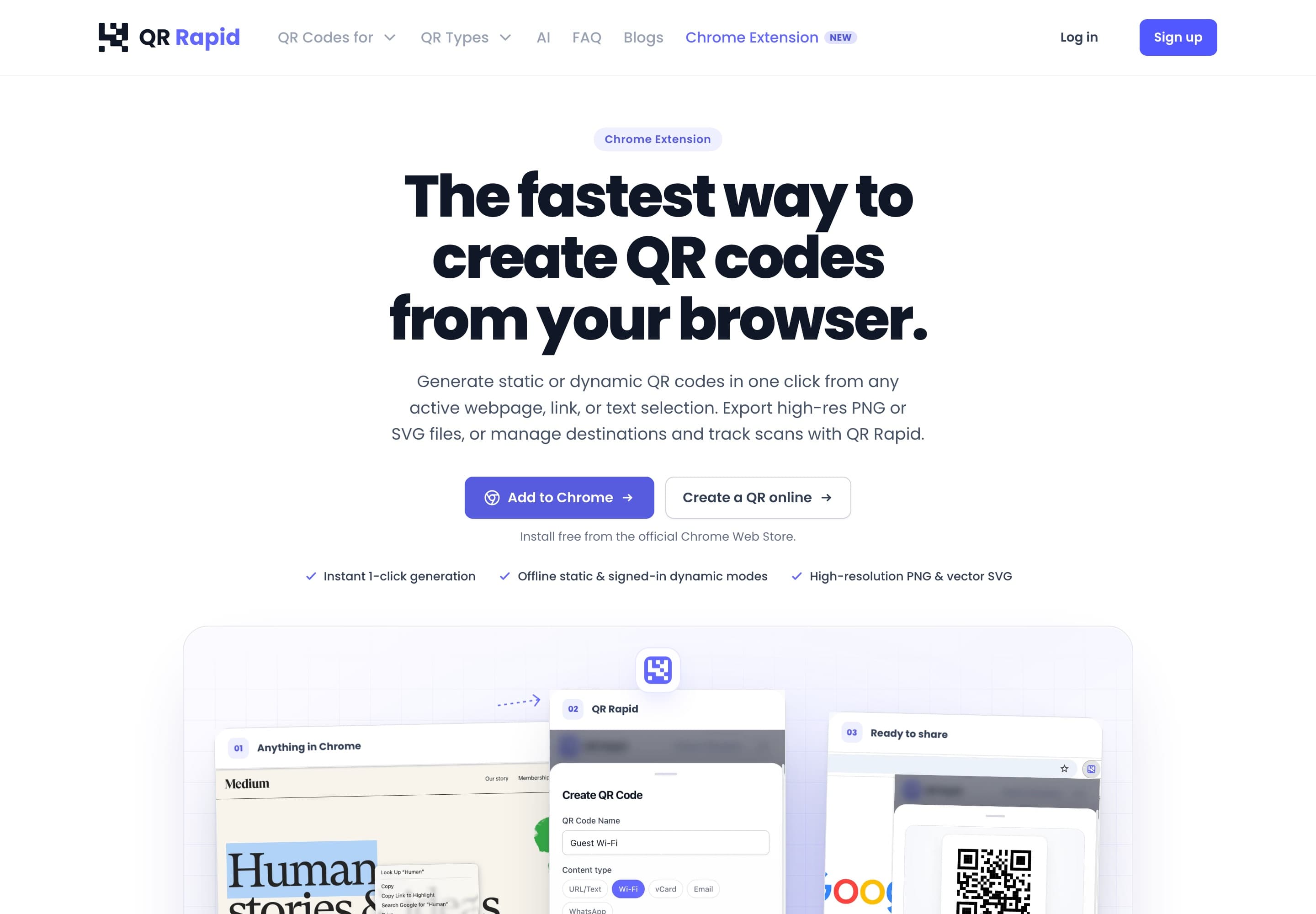
Most QR codes get made in the middle of something else: reading a page, copying a link, highlighting a line of text. Opening a generator in another tab, pasting and downloading is friction at exactly that moment.
The extension had to work with no account for the simple case, and with no network connection. It also had to connect to the full platform for anyone who wants a code they can edit and track.
02Approach
5 decisions that shaped it.
- 01
Start from where the link already is
A code can be made from the current page, from a link, or from selected text. The input is already on screen, so nothing needs copying.
- 02
Keep static codes in the browser
Static codes are generated locally. They work offline and need no account, and nothing has to be sent anywhere to produce them.
- 03
Use the account for dynamic codes
When someone signs in, the extension can create dynamic codes that live in their QR Rapid account, editable and measurable like any other.
- 04
Export what each destination needs
PNG for screens and documents, SVG for print. Both come straight out of the extension.
- 05
Build to Manifest V3
The extension targets Manifest V3, Chrome's current extension standard, and works within the browser's security model instead of around it.
03Architecture
How the parts fit together.
Two routes from the same starting point. Which one runs depends on whether the code needs to change later.
APath
Static code, no account
Everything happens inside the browser, so it also works offline.
Input
Page, link or selection
Extension
Manifest V3
Generates the code locally
Output
PNG or SVG
BPath
Dynamic code, signed in
The extension hands the code to the platform so it can be edited and measured later.
Input
Page, link or selection
Extension
Manifest V3
Signed in to QR Rapid
Service
QR Rapid platform
Dynamic code in your account
Output
PNG or SVG
Around the paths
- Works offline
- Static codes
- Needs an account
- Dynamic codes
- Export
- PNGSVG
Tools
- TypeScript
- Chrome Manifest V3
- SVG
- PNG export
04Result
One product, now also in the toolbar.
- Released as QR Rapid for Chrome, part of the QR Rapid platform.
- Static codes from any page, link or selection, generated locally and usable offline.
- Dynamic codes when signed in, with PNG and SVG export.